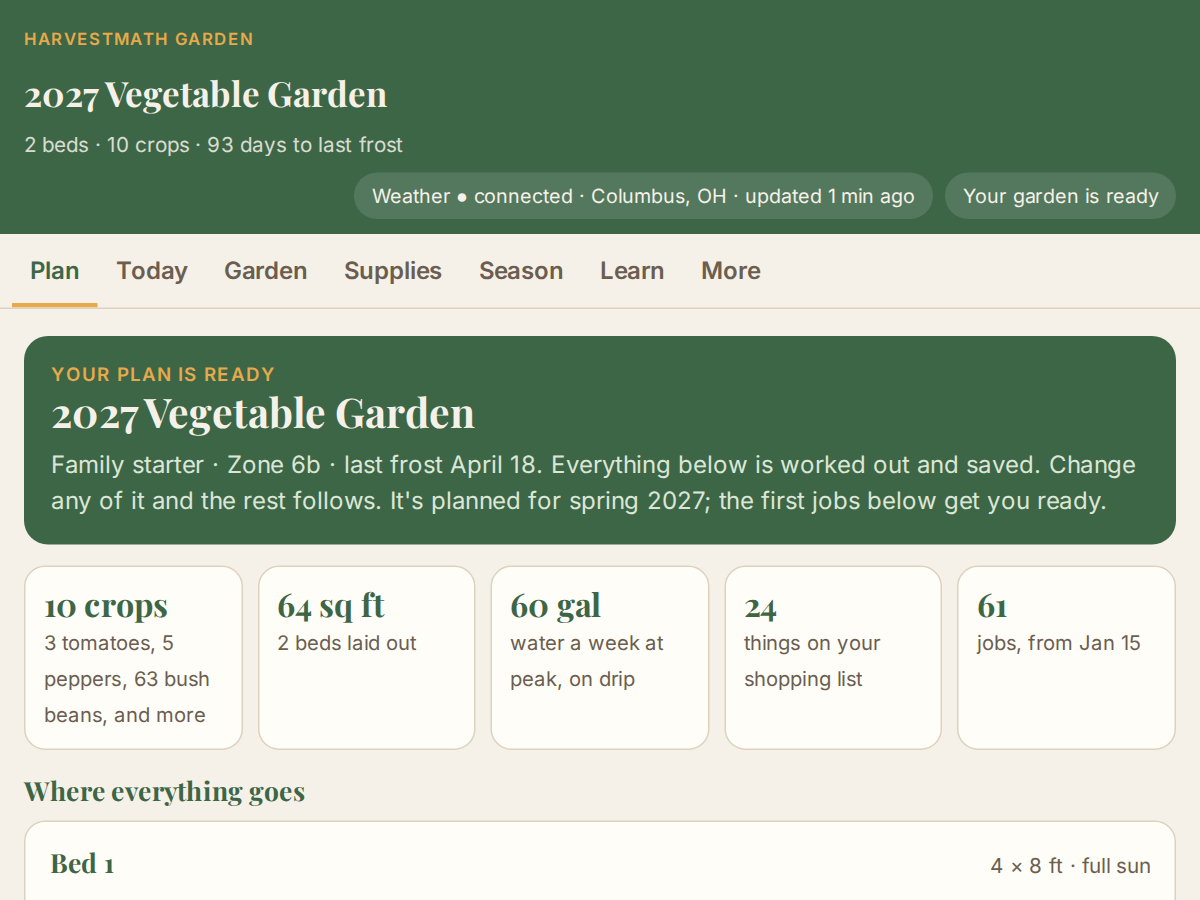
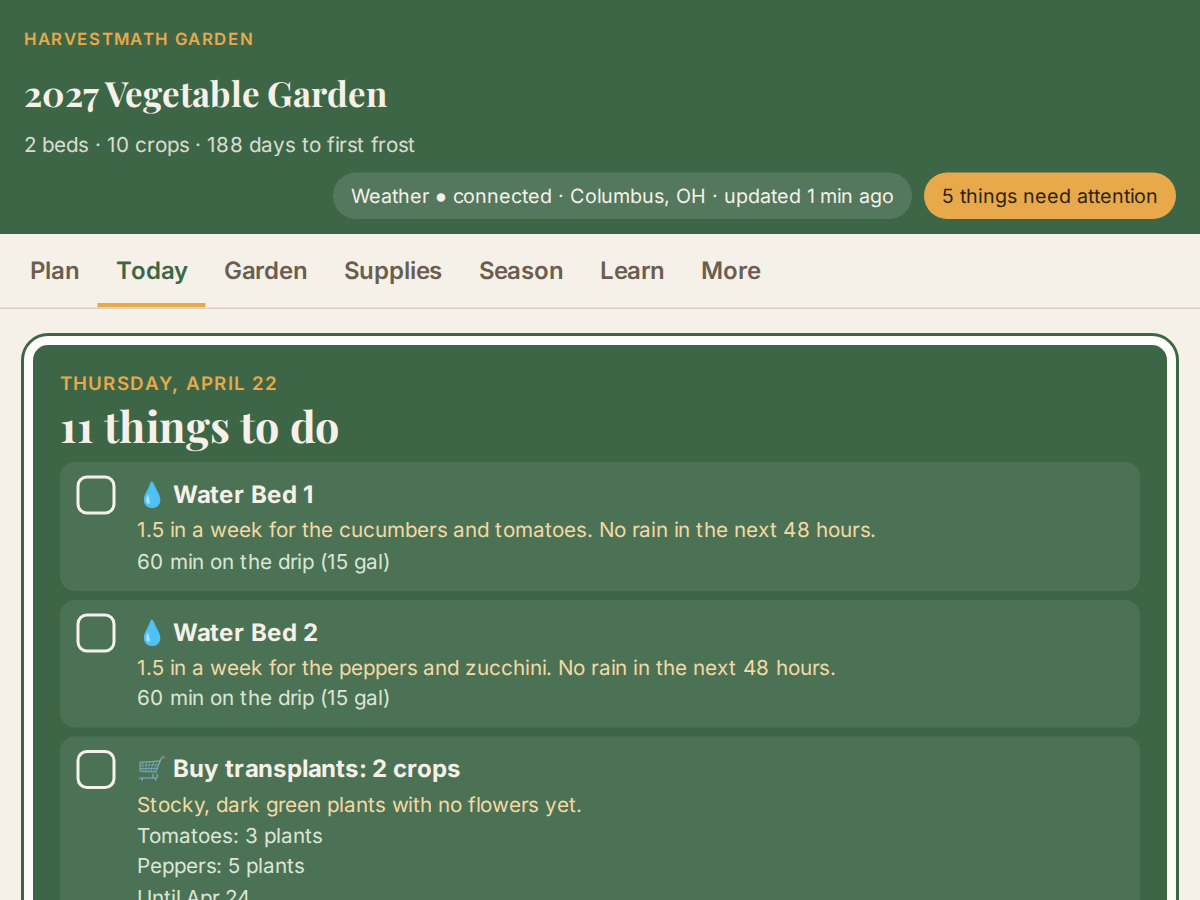
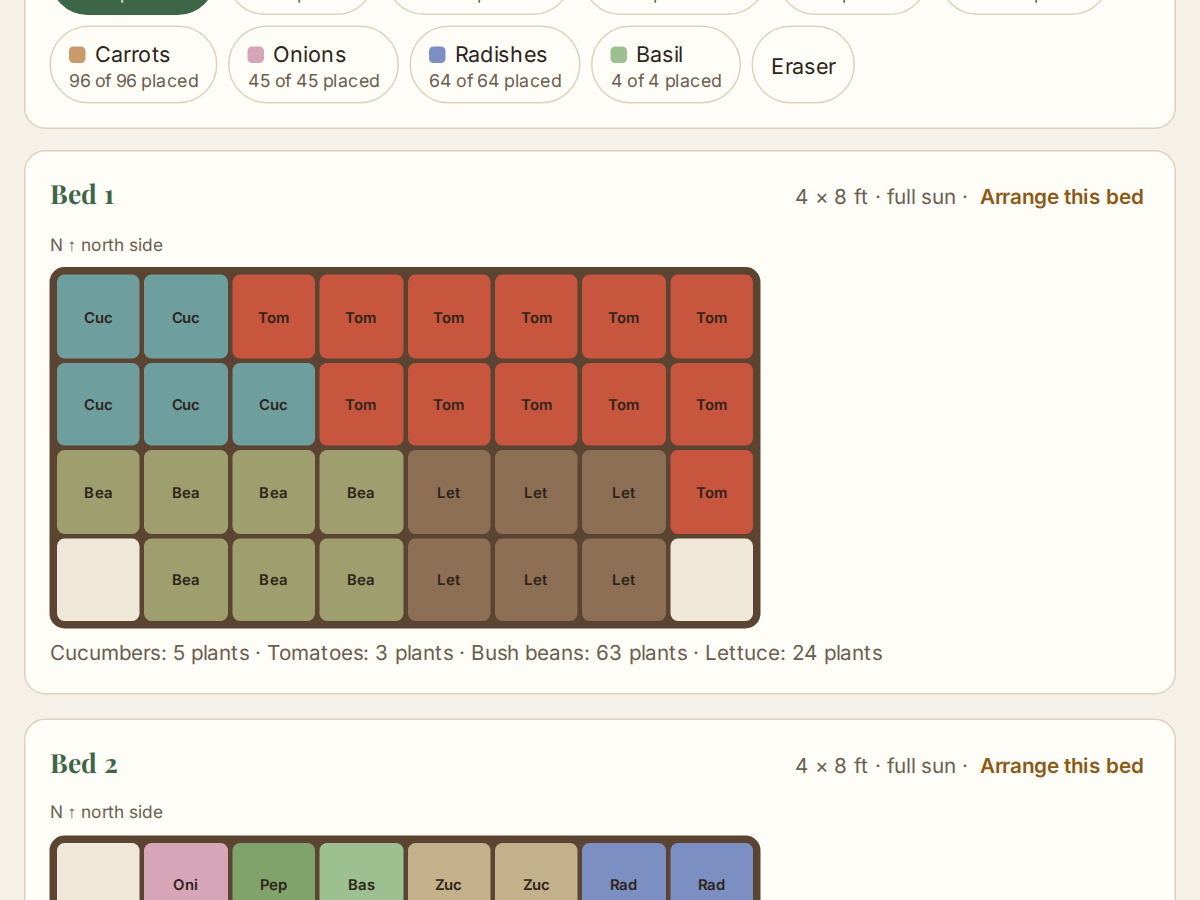
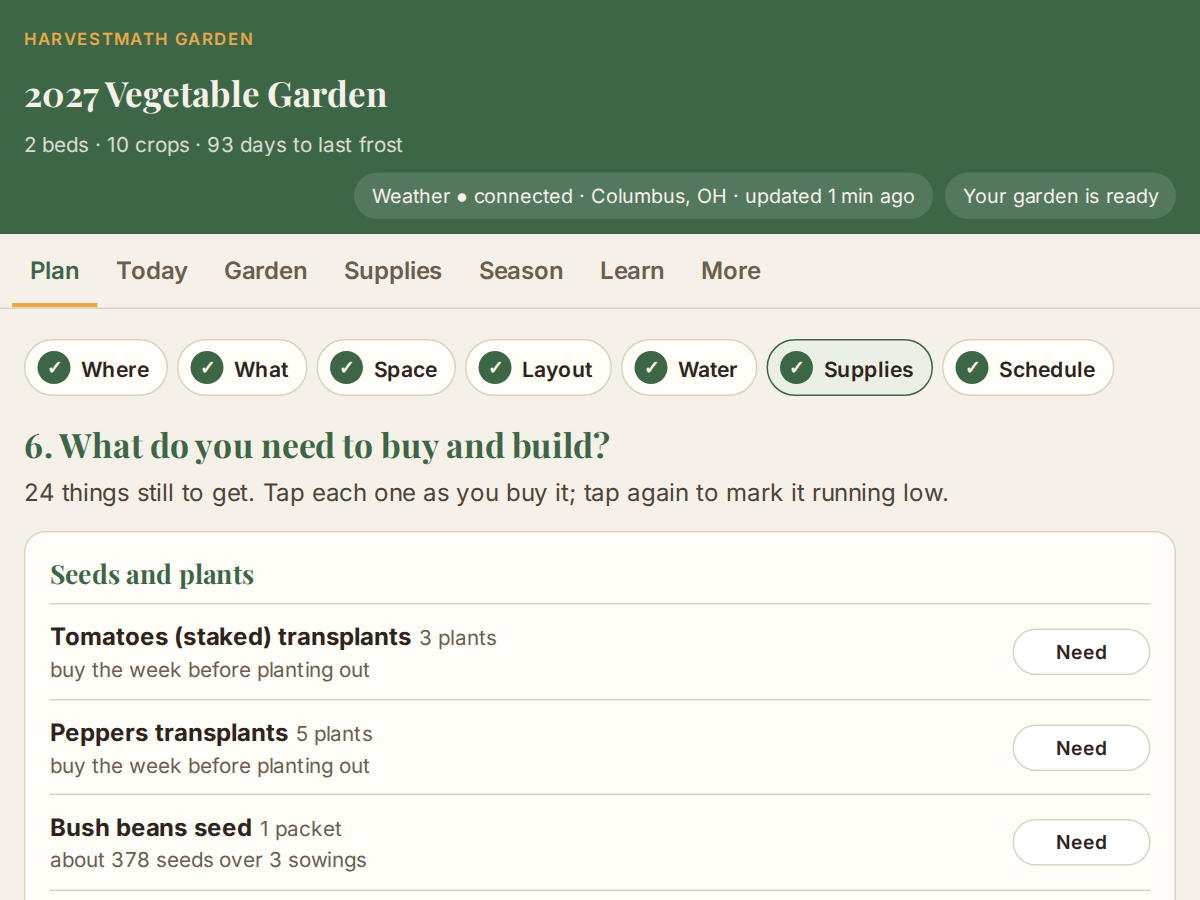
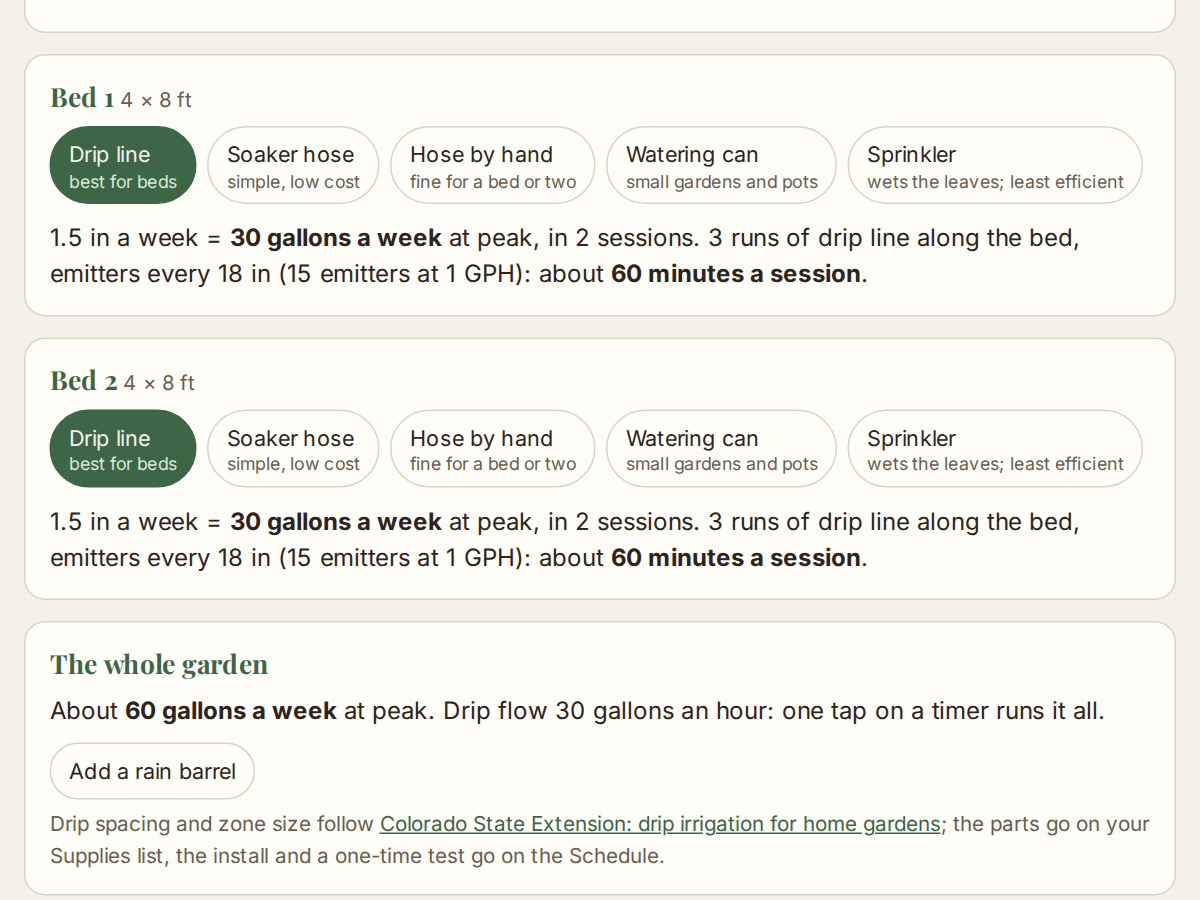
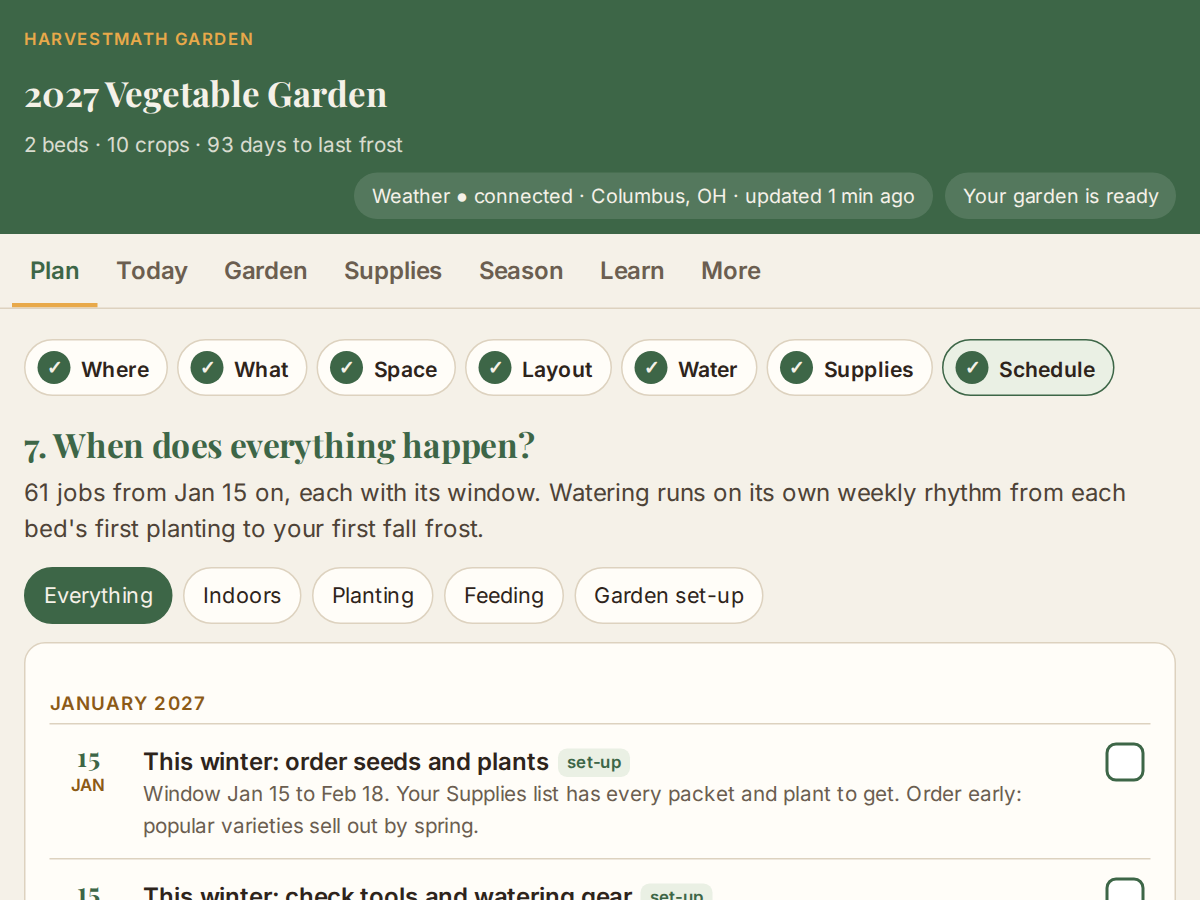
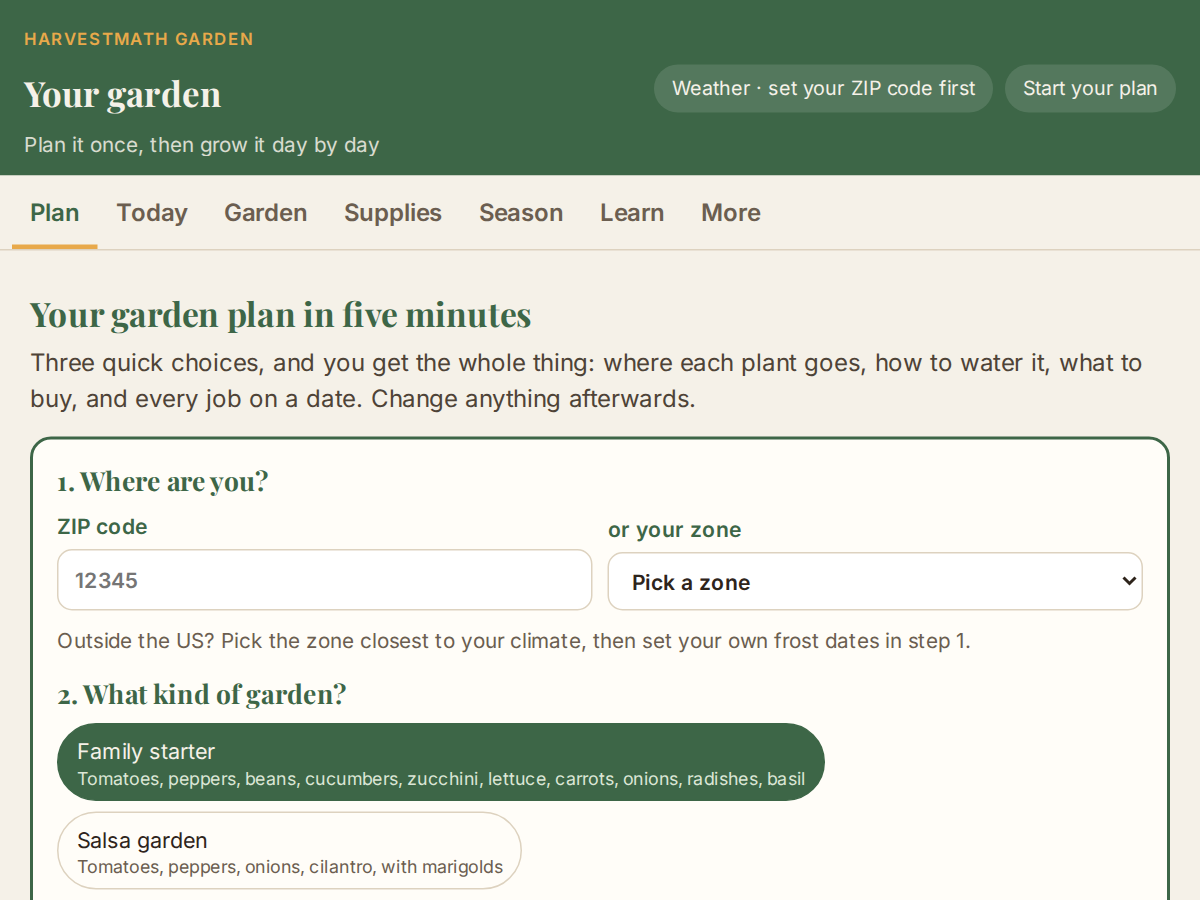
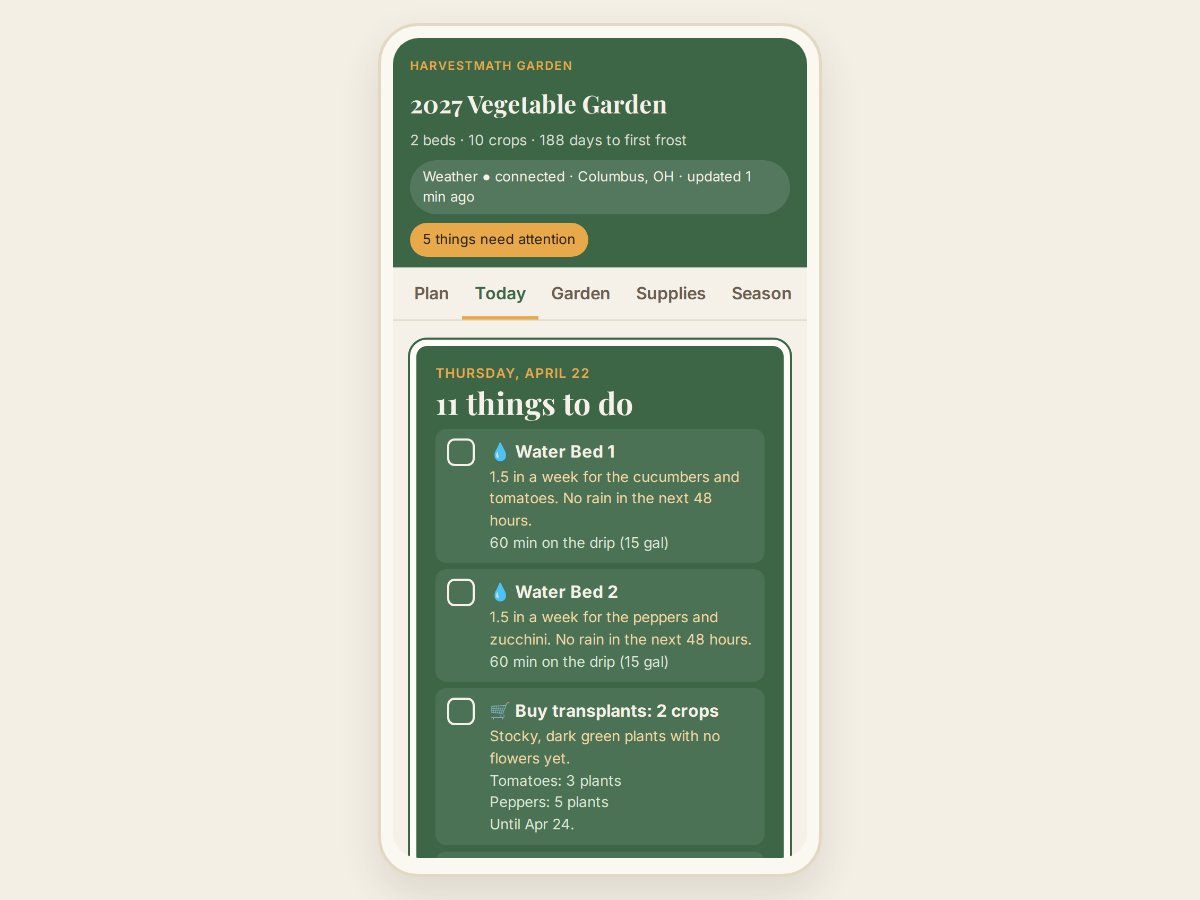
Real captures of the live app. Nothing here is a mockup.
HarvestMath Garden
Turn a piece of land into a complete growing plan.
6 apps in one, all yours to keep
- ✓HarvestMath Garden
- ✓12-Month Lawn Program
- ✓Tree & Shrub Care Planner
- ✓Houseplant Care App
- ✓Hydro Reservoir Manager
- ✓Plant Doctor
The Feeding Planner, the Season Planner, the Companion Bed Designer, the Bed & Bag Planner and the Watering Schedule Builder are built into the Garden. The other 5 apps cost $67 on their own.
Your upgrade price +
Digital product. Instant download of the Garden and 5 more apps.
- Instant download
- Works offline
- Works on any device
- Plus 5 more apps
Not sure yet? Try the free demo →
Secure checkout by PayPal or Dodo Payments. No refunds for a change of mind.
A plan in five minutes
From a ZIP code, a starter garden and your space.
Every job on a date
And in your own calendar, with a weekly garden check.
Grow and learn
Track the harvest; next year is planned from this one.
Stays on your device
Works offline. Nothing is uploaded or stored online.
About HarvestMath Garden
HarvestMath Garden turns a piece of land into a complete growing plan. It walks you through Where, What, Space, Layout, Water, Supplies and Schedule, then helps you Grow and Learn: every step worked out for your ZIP code and your space, and every step changeable afterwards.
Frost dates come from the nearest NOAA weather station. The live forecast (from the US National Weather Service) is optional and US-only: without it, or outside the US, everything else works the same. It's a single HTML file you own, plus an installable copy for your phone: no subscription and no account.
What it does
- Frost dates for your ZIP code from the nearest NOAA weather station
- Crops sized to the space you have (or beds suggested for the crops you want)
- A square-by-square layout with good companions together and tall crops north
- Watering worked out to gallons, minutes and drip parts
- One shopping list for seeds, soil, fertilizer, watering and supports
- Every job on a schedule and in your calendar
- A finished plan in five minutes from a ZIP code, a starter garden and your space
- A Today view that gives the reason for every job, and that the forecast adjusts
- Reminders through your own calendar, including a weekly garden check
- Harvest tracking per crop, and a review that suggests next year's amounts and rotates your crops
- A history of every season
- Works offline
- Your garden stays on your device
What's included
- HarvestMath Garden: 1 offline HTML file
- Installable copy for your phone
- 12-Month Lawn Program, file and phone copy
- Tree & Shrub Care Planner, file and phone copy
- Houseplant Care App, file and phone copy
- Hydro Reservoir Manager, file and phone copy
- Plant Doctor, file and phone copy
File type
Single HTML file per app
Works on
Windows, Mac, iPhone, Android
iPad, tablets
Delivery
Instant download after purchase
No shipping required
Frequently asked questions
Can I try it before I buy? +
Yes. The free demo is the real Garden, capped to 2 beds: make the five-minute plan and look around every step. Nothing you enter is saved, and closing the tab clears it. Calendar downloads, backups and printing are in the full version.
What does it cost? +
$49.00, once. No account, no subscription, nothing to cancel. If you already bought one of our single apps, what you paid comes off (see below).
I already bought one of the single apps. Does it count? +
Yes. Everything you paid for single apps comes off the Garden price, each purchase counted once, and the Garden never costs less than $30.00 after credit. Paid $19 for the Season Planner? You pay $30. Paid $12 for the Plant Doctor? You pay $37. Open the upgrade link in your receipt email: it brings you to this page with your order filled in and shows your price before you pay.
What do I get? +
HarvestMath Garden, plus 12-Month Lawn Program, Tree & Shrub Care Planner, Houseplant Care App, Hydro Reservoir Manager and Plant Doctor, each as a file you download and keep and an installable copy for your phone. The Feeding Planner, the Season Planner, the Companion Bed Designer, the Bed & Bag Planner and the Watering Schedule Builder aren't separate downloads: they're built into the Garden.
Does it need the internet? +
No, after the first load. The only thing it ever fetches is the optional forecast from the US National Weather Service (api.weather.gov), which adjusts the Today view. Weather is US-only and optional: switch it off, or use the Garden outside the US, and everything else works the same.
I use the Season Planner already. Can I bring my garden in? +
Yes. Save a backup in the Season Planner and restore it in the Garden: it brings in your beds, crops and frost dates.
Where does my data go? +
Nowhere. Your garden stays on your device, in the browser you use it in. HarvestMath doesn't run a server that sees it. To move to another phone or computer, save a backup file from the More tab and restore it there.
Is there a refund? +
No refunds for a change of mind: every screenshot above is the real app, so you can see how it works before you pay. If something is broken, or you were charged by mistake, email hello@harvestmath.com and we'll make it right.